Restore files, install FreeBSD over or live CD recover

While restoring some directories within a website, I managed to let my fat fingers get in the way and regretfully delete ( rm -Rf [directory] /* ... yes, with the space) way more files than desired. I quickly noticed errors flying down the screen and did a ^C to break the process. Long story short, I paralyzed myself in the OS because of removed binaries plus probably much more. There is no machine backup. An older outdated server is temporarily running from two months ago while I attempt to figure this out. Which leads me to my plea for help/recommendations, and I assume in this order of priority (please correct me!).

  1. Is there a way to possibly recover files from disk with or without a live CD boot? The server was shutdown after this happened with no additional files intentionally written to disk.
  2. I tried the FreeBSD 10.1 CD boot and mounting the disk but could not figure it out (tried mount /dev/da0 /mnt ... also /dev/da0s1 and other variations). It's a RAID 10 array with no partitions and default FreeBSD 9 (upgraded to 10.1) install slices.
  3. If recovery or side-load from CD are not possible, can I safely install FreeBSD on the disk and hopefully have the data files still there?
Would errors be thrown for MySQL (with mysqld running) if any of the db files were attempted to be deleted, or would it blow right through them and delete the files? I'm hoping the ^C happened before reaching the MySQL files in /var/db/mysql.

I appreciate any help.
 
First thing is to figure out what exactly is "RAID 10". There literally hundreds of different combinations of methods to create such RAID array and the success of the recovery depends on knowing what the exact set up is.

If it's the typical BIOS-assisted "fake-RAID" then the correct driver on FreeBSD 10 would be graid(8) but I'm just guessing here.
 
First thing is to figure out what exactly is "RAID 10". There literally hundreds of different combinations of methods to create such RAID array and the success of the recovery depends on knowing what the exact set up is.

If it's the typical BIOS-assisted "fake-RAID" then the correct driver on FreeBSD 10 would be graid(8) but I'm just guessing here.

The server is an HP Proliant DL380 G4 with hardware SCSI RAID (I think configured as 1+0 ??).
 
Can you boot from the FreeBSD 10.1 CD, drop to a shell and issue this command:

pciconf -lv

Look for entries that say class = mass storage. If possible, capture the output to a file on /tmp and copy the file over (scp(1) for example) for copy/pasting it here.

Do the same with these two:

gpart show

dmesg | grep -i ciss
 
If it's still able to boot and configure its network to some extent, you could try freebsd-update(8) to get the base OS back in line. But that does assume there's still some things left.
 
Can you boot from the FreeBSD 10.1 CD, drop to a shell and issue this command:

pciconf -lv

Look for entries that say class = mass storage. If possible, capture the output to a file on /tmp and copy the file over (scp(1) for example) for copy/pasting it here.

Do the same with these two:

gpart show

dmesg | grep -i ciss

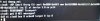
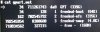
Sorry in advance for the screen photos. Here are the outputs for those three.
 

Attachments

  • dmesg.jpg
    dmesg.jpg
    687.5 KB · Views: 422
  • gpart.jpg
    gpart.jpg
    529.6 KB · Views: 430
  • pciconf.jpg
    pciconf.jpg
    611.6 KB · Views: 503
If it's still able to boot and configure its network to some extent, you could try freebsd-update(8) to get the base OS back in line. But that does assume there's still some things left.

It is not able to boot (bootloader error). Before first shutting it down, freebsd-update is one thing I tried, and it lacked the binaries to do it. I could "cd" and not "ls" directories, so it did manage to remove much of the OS bin files.
 
From the screenshots I can see that the disk is GPT partitioned and the second partition is the one with the system. These commands would mount the partition under /tmp/mnt if you do this from the install CD shell:

mkdir /tmp/mnt

mount /dev/da0p2 /tmp/mnt

Reason I'm instructing you to use /tmp/mnt for mounting is because /mnt is not writable in the install CD shell environment.
 
From the screenshots I can see that the disk is GPT partitioned and the second partition is the one with the system. These commands would mount the partition under /tmp/mnt if you do this from the install CD shell:

mkdir /tmp/mnt

mount /dev/da0p2 /tmp/mnt

Reason I'm instructing you to use /tmp/mnt for mounting is because /mnt is not writable in the install CD shell environment.

Code:
mount: /dev/da0p2: R/W mount of / denied. Filesystem is not clean - run fsck. Forced mount will invalidate journal contents: Operation not permitted.

So I just found this to work:
mount -r -t ufs /dev/da0p2 /tmp/mnt

And, I'm at least seeing MySQL and other data files, so that's huge! Now I need to figure out how to get FreeBSD on there without disturbing existing files/configuration. I'll throw a USB backup drive on it first and copy everything over.
 
Is there a way to mount a 2TB NTFS USB drive without ntfs-3g, which appears to be on /dev/da1s1?
file -s /dev/da1s1
/dev/da1s1: DOS/MBR boot sector
 
I ended up re-partitioning/formatting the USB drive and am backing up the data. Am I correct in assuming that an install of FreeBSD on the drive will leave /var and /usr/local intact with the same default slice settings?
 
I ended up re-partitioning/formatting the USB drive and am backing up the data. Am I correct in assuming that an install of FreeBSD on the drive will leave /var and /usr/local intact with the same default slice settings?

Install over the existing system won't preserve the settings or records of the installed ports/packages. Backup the configuration files and try to get a list of installed packages from the system by this (in the install cd shell):

pkg -c /tmp/mnt info -qo

Use the list for reinstalling the packages when you have finished installing FreeBSD 10.1.
 
No, bsdinstall(8) does a newfs(8) by default. Get at least two copies of everything on some other media.

Thanks! I just figured that out and am reinstalling packages now. I was able to get a full copy of everything on a USB drive and will need to copy whatever's needed back.


Install over the existing system won't preserve the settings or records of the installed ports/packages. Backup the configuration files and try to get a list of installed packages from the system by this (in the install cd shell):

pkg -c /tmp/mnt info -qo

Use the list for reinstalling the packages when you have finished installing FreeBSD 10.1.

I couldn't get this to work because of pkg not being installed and write permissions. I was able to get some of the primary packages from some older pkg update reports in emails from periodic.
 
The installer doesn't do much more than partitioning a disk and extract the files that are in /usr/freebsd-dist on the installation media. If you can boot the installer and mount your old system partitions under /tmp/mnt you can simply extract them there. Hopefully that's enough to get it booting again.

As for the mount error, use fsck(8) on the filesystems first. After that you should be able to mount them read/write.
 
Back
Top