Solved QCAD from package doesn't run

Hi, I just installed qcad from package in FreeBSD 14.3-RELEASE. The pakcages are quarterly.

When i run it i get this:
Code:
$> qcad
QCAD version  3.32.2
17:45:54: Debug:    loading plugins...
17:45:54: Debug:    loading static plugins...
Fatal:    Cannot mix incompatible Qt library (5.15.18) with this library (5.15.17)
Abort trap

Do you observe the same ?
 
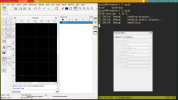
It runs for me, latest version, built from ports.

Code:
# pkg info -x qcad
qcad-qt5-3.32.2.0_2
 

Attachments

  • 2025-12-16-213914_1366x768_scrot.png
    2025-12-16-213914_1366x768_scrot.png
    133 KB · Views: 17
Seeing how it says DEBUG Plugin Error I think we can assume QT has an issue with a plugin.

Do you use default qcad PLUGINS or some of your own?

My joking thought was delete all QT apps and install QCAD app. Then lock package and install back QT apps.
Using LATEST has its perils.

Some kind of dependency problem.
 
Hi, I just installed qcad from package in FreeBSD 14.3-RELEASE. The pakcages are quarterly.

When i run it i get this:
Code:
$> qcad
QCAD version  3.32.2
17:45:54: Debug:    loading plugins...
17:45:54: Debug:    loading static plugins...
Fatal:    Cannot mix incompatible Qt library (5.15.18) with this library (5.15.17)
Abort trap

Do you observe the same ?
Try moving/removing the qt5 libraries you have in /usr/local/lib/compat/pkg.
.
 
As the error message says: You've got a mix of QT library versions installed (5.15.17 and 5.15.18); But all should be at 5.15.18.

Are you using ports? Packages quarterly? Packages lately? A mix of them? The possible solutions depends… But in any case you might find the outdated packages with a pkg info | grep qt | grep 17 (which would then need to be updated). Unfortunately, there may also be QT packages that do not carry a QT version number - such as x11-themes/qt5-style-plugins. In this case, it becomes difficult to identify the problematic package… If you are using packages, reinstalling all packages should help (pkg upgrade -f).
 
I upgraded my packages but QCAD was not on the list.

Perhaps you are running LATEST for packages. You could switch back to QUARTERLY for the short term.
I am running quarterly, probably it had to be updated, i will comment more on the last message
Code:
$> pkg repositories
FreeBSD: {
    url             : "pkg+https://pkg.FreeBSD.org/FreeBSD:14:amd64/quarterly",
    enabled         : yes,
    priority        : 0,
    mirror_type     : "SRV",
    signature_type  : "FINGERPRINTS",
    fingerprints    : "/usr/share/keys/pkg"
  }
FreeBSD-kmods: {
    url             : "pkg+https://pkg.FreeBSD.org/FreeBSD:14:amd64/kmods_quarterly_3",
    enabled         : yes,
    priority        : 0,
    mirror_type     : "SRV",
    signature_type  : "FINGERPRINTS",
    fingerprints    : "/usr/share/keys/pkg"
  }
 
As the error message says: You've got a mix of QT library versions installed (5.15.17 and 5.15.18); But all should be at 5.15.18.

Are you using ports? Packages quarterly? Packages lately? A mix of them? The possible solutions depends… But in any case you might find the outdated packages with a pkg info | grep qt | grep 17 (which would then need to be updated). Unfortunately, there may also be QT packages that do not carry a QT version number - such as x11-themes/qt5-style-plugins. In this case, it becomes difficult to identify the problematic package… If you are using packages, reinstalling all packages should help (pkg upgrade -f).
. I try not to mix ports and packages
. I should have 99% packages
. grepping on pkg info on with qt , 17 , 18 told me he problem, my whole system is running with 17, only 1 package was with 18
=> definitely i needed to upgrade
=> pkg upgrade -f solved the problem, now qcad runs

Probably the quarterly packages changed and i was stuck mostly in the previous quarter.

thank you all for your suggestions
 
Back
Top