Playing Quicktime mov files on FreeBSD?

Hi, I have recently installed FreeBSD in VirtualBox and I am wondering how can I play MOV files. I tried Dragon but it's not recognizing and also installed vlc but only the sound (distorted) come out and no videos.
 
I generally use multimedia/mplayer. I don't have an .mov file to test it with--should that be a .mov file?--I guess it depends upon how you pronounce it-- but it generally handles everything I throw at it.

For what it's worth, I just downloaded a sample.mov file from Apple and it played without problems.
 
Yes I mean .mov but what, is this multimedia/mplayer producing dragon video player? The thing is when I use pkg install mplayer I get the following response:
Code:
root@FreeBSD:/home/mnada/shared # pkg install multimedia/mplayer
Updating FreeBSD repository catalogue...
FreeBSD repository is up-to-date.
All repositories are up-to-date.
Checking integrity... done (0 conflicting)
The most recent version of packages are already installed

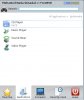
But on the menu I don't see a program called mplayer.
 

Attachments

  • Snap4.jpg
    Snap4.jpg
    28.8 KB · Views: 303
Please open a terminal and type the command mplayer /path-to-myvideo/myvideo.MOV because it is a command line tool. Do not mind, the name does not indicate that. As far as I know there are front ends for multimedia/mplayer which might suit your expectations. May be you like to have the front end multimedia/kmplayer-kde4 as I see "kde" in the screenshot you have provided.
 
Thank you very much. It was unexpected to me that it's command line (newcomer!) (I deleted the package and then make install clean again) and now it's working for me. I also installed multimedia/kmplayer-kde4.
 
After reboot
:(:(:(:( kdm abnormal termination of greeter for display .... :eek::eek::eek: :mad::mad::mad:o_Oo_O

but resumed after pkg -f upgrade

:):beer:
 
There is an mplayer version called smplayer, that is more GUI oriented. As for the an mov or a mov, I was just being silly, making reference to the fact that it could be pronounced em-oh-vee, didn't mean to confuse the issue.

I don't know if smplayer will show in your menu either, but you can always just open a teminal and type mplayer my.mov using the complete path to your .mov file.

EDIT: That should have been smplayer, not mplayer.
 
Last edited:
Back
Top