Solved Host name lookup failure

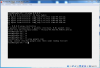
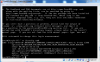
Hi, I installed FreeBSD on Oracle VirtualBox and I have a problem to ping DNS.

/etc/rc.conf
Code:
hostname="Stryfe-PC"
ifconfig_em0="DHCP"
sshd_enable="YES"
dumpdev="AUTO"
 

Attachments

  • ping.png
    ping.png
    87.4 KB · Views: 1,539
Code:
nameserver 81.180.123.98
nameserver 80.96.202.4

I tried to change it but it changes back because hostname is set as "Stryfe-PC"
 
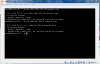
What does this output? drill @81.180.123.98 google.com and drill @80.96.202.4 google.com
 
Don't change /etc/resolv.conf. It should be updated automatically when you run dhclient.
When you get a DHCP IP address, the DHCP server also gives your machine DNS servers, which will be put into /etc/resolv.conf.

After running dhclient make sure there are DNS servers listed in /etc/resolv.conf.

The command SirDice gave allows you to manually send a query to one of the DNS servers, which is a reasonable troubleshooting step when faced with your problem. Pick one of the DNS servers listed in your resolv.conf after you get a DHCP IP address, and run the following:

Code:
dig @DNS_SERVER_IP google.com
( dig has been replaced by drill in FreeBSD 10+)

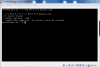
If you can ping 8.8.8.8 but not get a response from the DNS server, then it suggests the DNS server is wrong or you have some other network issue stopping you getting to it.
 
DNS server is not wrong, I think.
 

Attachments

  • dig.png
    dig.png
    74.9 KB · Views: 1,248
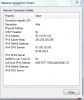
  • pppoe.png
    pppoe.png
    27.2 KB · Views: 1,182
NAT and bridge modes are useful in different circumstances, just mind that:
  • NAT mode means that your VMs are not exposed to incoming connections on the net.
  • Bridge mode means that the VMs can run network services for users on other machines.
Why you don't simply choose bridged mode?
 
I choose bridged, now work with Internet Connection Sharing from PPPoE. The problem was solved.
Thanks
 
Back
Top