Solved Host name lookup failure

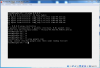
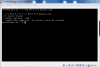
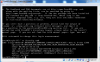
Hi, I installed FreeBSD on Oracle VirtualBox and I have a problem to ping DNS.

/etc/rc.conf
Code:
hostname="Stryfe-PC"
ifconfig_em0="DHCP"
sshd_enable="YES"
dumpdev="AUTO"
 

Attachments

  • ping.png
    ping.png
    87.4 KB · Views: 1,103
Code:
nameserver 81.180.123.98
nameserver 80.96.202.4

I tried to change it but it changes back because hostname is set as "Stryfe-PC"
 
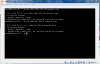
What does this output? drill @81.180.123.98 google.com and drill @80.96.202.4 google.com
 
Don't change /etc/resolv.conf. It should be updated automatically when you run dhclient.
When you get a DHCP IP address, the DHCP server also gives your machine DNS servers, which will be put into /etc/resolv.conf.

After running dhclient make sure there are DNS servers listed in /etc/resolv.conf.

The command SirDice gave allows you to manually send a query to one of the DNS servers, which is a reasonable troubleshooting step when faced with your problem. Pick one of the DNS servers listed in your resolv.conf after you get a DHCP IP address, and run the following:

Code:
dig @DNS_SERVER_IP google.com
( dig has been replaced by drill in FreeBSD 10+)

If you can ping 8.8.8.8 but not get a response from the DNS server, then it suggests the DNS server is wrong or you have some other network issue stopping you getting to it.
 
NAT and bridge modes are useful in different circumstances, just mind that:
  • NAT mode means that your VMs are not exposed to incoming connections on the net.
  • Bridge mode means that the VMs can run network services for users on other machines.
Why you don't simply choose bridged mode?
 
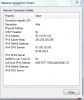
I choose bridged, now work with Internet Connection Sharing from PPPoE. The problem was solved.
Thanks
 
Back
Top