custom kernel on 15-STABLE

I have been using custom kernel for quite awhile. Usually i would use this commands to compile n install the kernel.
doas make -j $(sysctl -n hw.ncpu) buildkernel KERNCONF=CKERNEL
doas make installkernel KERNCONF=CKERNEL. everything would be ok, most of the time. But recently, I have to add this command to install the kernel.

doas make -j $(nproc) buildkernel KERNCONF=CKERNEL
doas make installkernel KERNCONF=CKERNEL DESTDIR=/.

However, when i rebooted, I was not able to boot successfully into the new kernel. It will reboot into a loop.
I usually use the /usr/src directory to compile the kernel.
 
I use custom kernel for long time on stable/15 and I had no necessity to add anything to make arguments. are you by chance have DESTDIR var defined anywhere ? is this current, stable or release branchess ? no details on that
 
It will reboot into a loop.
Tip. Install the GENERIC kernel separately, something like make installkernel KERNCONF=GENERIC INSTKERNNAME=kernel.GENERIC. The boot menu will allow you to select an alternate kernel to load. If you install GENERIC you'll always have something solid to fallback on.

Or, if you are already on a GENERIC kernel, just copy /boot/kernel to /boot/kernel.GENERIC. If you mess with custom kernels a lot you need to be careful your /boot/kernel.old doesn't get overwritten with a broken kernel.
 
are you by chance have DESTDIR var defined anywhere ?
no.
is this current, stable or release branchess ? no details on that

custom kernel on 15-STABLE....the title​

To override this check, set DESTDIR=/.
with this command...
doas make installkernel KERNCONF=C15 DESTDIR=/.
i would end up with a not working custom kernel. I am able to login in for about 3-5 seconds, and then it will reboot itself.
I have never come across this issue before, since i started from 10-CURRENT.
The iso is from late october to early november. i dont remember the exact date.
 

Attachments

  • 20251128_21h30m22s_grim.png
    20251128_21h30m22s_grim.png
    240.2 KB · Views: 94
You appear to be using Pkgbase. Or at least that's what the error seems to allude to.

Code:
Error: This target should not be used on a system installed from packages.
 
doas make -j $(nproc) buildkernel KERNCONF=CKERNEL
doas make installkernel KERNCONF=CKERNEL DESTDIR=/.

However, when i rebooted, I was not able to boot successfully into the new kernel. It will reboot into a loop.
I usually use the /usr/src directory to compile the kernel.
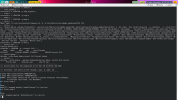
I usually do a buildworld before buildkernel. See the 10 step process described near the start of /usr/src/Makefile. If you did this and you still see this problem, please file a bug report &/or ask on freebsd-stable or -current mailing list (just pick one).
 
Once you moved on to Pkgbase, you cannot install from your local build from source anymore?
The second line says you can overrule the check by setting DESTDIR=/.

But the correct way is probably to use make packages and install the custom kernel with a Pkgbase built kernel. Because using installkernel or installworld would overwrite the Pkgbase package files.
 
You appear to be using Pkgbase. Or at least that's what the error seems to allude to.

Code:
Error: This target should not be used on a system installed from packages.
yes. my mistake when choosing the installer options. i will refrain from doing so onward.

The second line says you can overrule the check by setting DESTDIR=/.
I do not know which directory this refer to.

But the correct way is probably to use make packages and install the custom kernel with a Pkgbase built kernel. Because using installkernel or installworld would overwrite the Pkgbase package files.
This is something new to me. I really have no idea how to do this.
 
+ uname -aKU
FreeBSD mrpju 15.0-STABLE FreeBSD 15.0-STABLE stable/15-398dd921c382 C15 amd64 1500503 1500503

I recompile another kernel, and later did another buildworld buildkernel but when booting to the new kernel, n later to the new buildworld n buildkernel, i was not able to star chromium, librewolf and waterfox as they all crashed. mpv was also affected.
at the moment, I am using kernel.old.
 

Attachments

  • 20251204_16h10m04s_grim.png
    20251204_16h10m04s_grim.png
    59.3 KB · Views: 44
Could you explain
I am able to login in for about 3-5 seconds
in details?

I remember some strange xfce4 problems when I have tried to use custom kernel with disabled COMPAT_FREEBSD* options
 
my mistake. what i meant was, i was able to boot in.

i made another cleanworld, cleankernel, del old lib, del old files. same issue.

what else can i do???
 
i was not able to star chromium, librewolf and waterfox as they all crashed. mpv, alacritty are also affected. i could only use mpv with this option --gpu-context=drm --gpu-context=vulkan either to view youtube or videos
 
Have you updated your packages?
Try to start your commands from terminal and look at messages, sometimes there could be some clues
 
Back
Top