Can’t Install First Package

Hi, unitrunker. I did not want to share the output of dmesg, because it was so much text, and I didn't know what was safe.

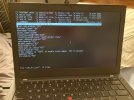
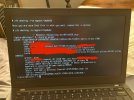
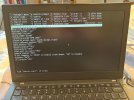
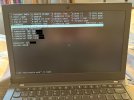
I did, however, take photos of the /etc/rc.conf file and the output of ifconfig wlan0 (see attachments).

I also ran # ifconfig wlan0 scan, and the access point does show up. I did not see the word "associated", though.

Any ideas?
 

Attachments

  • etc-rc-conf.jpg
    etc-rc-conf.jpg
    911.5 KB · Views: 610
  • ifconfig-wlan0.jpg
    ifconfig-wlan0.jpg
    836.1 KB · Views: 609
Thanks, bakul. I might try your suggestions tomorrow, since unitrunker or someone else might be able to fix this issue by looking at my previous post. One question: How do I find my machine's IP address? I am using IPv6.
 
Thanks, richardtoohey2! However, I am not sure what the original output was, as the redacted version of the photo is the only version I have. Do you know which line contains the machine's IP address?
 
Thanks, richardtoohey2! However, I am not sure what the output was, as the redacted version of the photo is the only version I have. Do you know which line contains the machine's IP address?
You are so close to being connected. Almost there. Domain Naming Service is not working for you.
contents of these file? /etc/resolv.conf /etc/hosts resolv.conf(8) man page
cat /etc/resolv.conf
# Generated by resolvconf
nameserver 192.168.1.1

I think your nameserver is 192.168.2.1 for your wlan0 wifi network router setup


https://forums.freebsd.org/threads/unable-to-get-dns-service.89004/ Read last post on page 1.
ethernet cable was removed from ethernet socket.
drill @8.8.8.8 forums.freebsd.org
fred@Ghost14_selfbuilt_rpi4B_nginx_tst1:~ % drill @8.8.8.8 forums.freebsd.org
Error: error sending query: Error creating socket
fred@Ghost14_selfbuilt_rpi4B_nginx_tst1:~ % ping -c 3 8.8.8.8
PING 8.8.8.8 (8.8.8.8): 56 data bytes
ping: sendto: No route to host

--- 8.8.8.8 ping statistics ---
3 packets transmitted, 0 packets received, 100.0% packet loss
ethernet cable connected
drill @1.1.1.1 forums.freebsd.org
;; ->>HEADER<<- opcode: QUERY, rcode: NOERROR, id: 6700
;; flags: qr rd ra ; QUERY: 1, ANSWER: 1, AUTHORITY: 0, ADDITIONAL: 0
;; QUESTION SECTION:
;; forums.freebsd.org. IN A

;; ANSWER SECTION:
forums.freebsd.org. 10 IN A 204.109.59.195

;; AUTHORITY SECTION:

;; ADDITIONAL SECTION:

;; Query time: 17 msec
;; SERVER: 1.1.1.1
;; WHEN: Sat Dec 30 21:10:38 2023
;; MSG SIZE rcvd: 52


Start with talking with the router using IPv4 first using ifconfig_wlan0="WPA DHCP"
Is it specific to your router, to connect and use Ipv6.? Can you start by connecting using IPv4? has command 'bsdconfig' been deprecated? if not use that as super user 'root' to setup your wifi configuration. pkg install networkmgr can be helpful too. 3 files to edit /boot/loader.conf /etc/rc.conf /etc/wpa_supplicant.conf

ifconfig wlan0 create wlandev iwm0 # create 'wlan0' use what is your hardware wifi interface 'iwm0'.
ifconfig wlan0 create wlandev iwm0 regdomain fcc country US ssid SpectrumSetup-0F
# I will look at your pictures and edit to match ath0 or iwm0. It was iwm0, yet could be iwn0 or iwlwifi0

killall dhclient
wpa_suppplicant -B -i wlan0 -c /etc/wpa_supplicant.conf
dhclient wlan0

wpa_supplicant -dd -K -i wlan0 -c /etc/wpa_supplicant.conf will give you some debug and password information that can be useful

Here below are very specific examples to manually setup wifi read both links, cause one might have info the other does not have.
https://forums.ghostbsd.org/viewtopic.php?f=64&t=526 USB WiFi dongle Edimax EW-7811un version 1
https://forums.ghostbsd.org/viewtopic.php?f=64&t=570 PCI RTL8188ce half-height pci card.

Glad to see your pictures with the pertinent information displayed. Your nameserver IP address should point to your router gateway address like 192.168.2.1
netstat -nr
sockstat -4 or sockstat -4
ping -c 3 8.8.4.4 Google DNS server
ping -c 3 he.net DNS is working if this test goes through. If not, read,edit /etc/resolv.conf file contents
pciconf -lv | grep -B3 network
sysctl net.wlan

ignore the bug and read the examples of using internet manual setup
ifconfig wlan0 create wlandev iwm0 regdomain fcc country US ssid SpectrumSetup-0F
https://bugs.freebsd.org/bugzilla/show_bug.cgi?id=271979#c32
Workaround update:

Well, I retrieved what I am missing. It looks adding the ssid in the first place during "ifconfig wlan0 create" makes it stable. I found no more crashes.


# in file /etc/rc.conf , edit iwlwifi0, iwm, iwn to match your hardware device iwm0
pciconf -lv Look for the PCIe Vendor and Product IDs so we know what actual device you are using!
usbconfig list
usbconfig -d ugenX.Y dump_device_desc To see the USB Vendor and Product IDs
wlans_iwm0="wlan0"
ifconfig_wlan0="WPA SYNCDHCP"
ifconfig_wlan0_ipv6="inet6 auto_linklocal accept_rtadv"

 
Last edited:
Scribner is the computer in this topic your ThinkPad X270, and if so, is it 8265 / 8275 Wi-Fi hardware?

Taking a hint from wb7odyfred:
A few more hints:
  • as suggested above, focus on IPv4 connectivity before attempting IPv6
  • if you can, keep em(4) wired networking out of the mix until after Wi-Fi connectivity is reliable (out as in, don't configure it)
  • service netif restart is not universally reliable for restart purposes.
Re: wpa_supplicant(5), what's the origin of your fast_reauth line?
 
… has command 'bsdconfig' been deprecated?

Not deprecated; bsdconfig(8).

… use that as super user 'root' …

It can automatically use sudo, if sudo is present.

Normally, I'd suggest bsdconfig networking without hesitation.

In this case, I suspect that a post-installation run will achieve no more than configuration during installation.

I'd like to know more about the hardware before anything else.
 
Yes, grahamperrin, the computer in question is a ThinkPad X270. I was not able to find information on the Wi-Fi hardware, though. I should note that I was able to get 12.0-RELEASE and 13.0-RELEASE installed without this issue. I am not sure which instructions I should try next. Should I try what bakul says in post #25, the last post on page 1? Keep in mind, I’m a noob!
 
.
6. I ran % ping -n <gateway IP address> as a regular user, and it does ping with an average time 1.253 ms.
7. I ran % ping -n 8.8.8.8, and it does ping with an average time of 32.874 ms.
8. I ran % ping -n google.com and % ping google.com, and they both returned "ping: Unknown host".

I hope this helps.

Assuming you still have the above working you should be able to to get a valid response from

$ host google.com 8.8.8.8

However it seems you are now using IPv6 and have local_unbound enabled

So don't do that

Yet to see what your /etc/resolv.conf looks like
 
Yes, juha, I enabled local_unbound, because it’s what Michael W. Lucas does in “Absolute FreeBSD” (and he also uses IPv6). This is what he writes: “I always enable ntpd (see Chapter 20) and local_unbound (see Chapter 8) so that the host’s clock synchronizes itself to the public NTP servers and keeps a local DNS cache, but if your host doesn’t have access to the public internet, they aren’t as useful.”

How do I turn it off now?
 
Here is what my /etc/rc.conf looks like (I think I posted it earlier as well). I deleted the line that reads local_unbound_enable="YES". I then rebooted, but the problem persists. Any other ideas?
 

Attachments

  • etc-rc-conf-2.jpg
    etc-rc-conf-2.jpg
    804.7 KB · Views: 463
Here is my /etc/resolv.conf. The name servers are partially redacted. I don't know whether they are right.
 

Attachments

  • etc-resolv-conf.jpg
    etc-resolv-conf.jpg
    767.3 KB · Views: 547
Here is my /etc/resolv.conf. The name servers are partially redacted. I don't know whether they are right.
Ok that seems like the problem. I'd guess it says 127.0.0.1 which means localhost.
Can you change that line to either the IP of your router or e.g. 8.8.8.8 (Google's DNS server).
 
P.S.: And please try to comment out the other line saying "options edns0". I have no idea what it does, but it should not be required in the actual situation.
 
Thank you, elgrande! I made both those corrections (in /etc/resolv.conf, changing the name server to Google's DNS server [8.8.8.8] and commenting out the last line with a number sign), and ping www.google.com now works (although it might have made more sense to ping Yahoo to avoid confusion with Google's DNS server). You were also right about the name server originally being set to 127.0.0.1. Next up is installing KDE Plasma, whose instructions The FreeBSD Forums graciously created.
 
I hope I don't sound annoying, but I'm not sure what I should do. The internet does work on the laptop, and I was about to mark this thread as solved. But if there is more I should do, I would certainly like to know.

Here is a YouTube video of me flaunting my new operating system to the WWW:


I'm a noob and have a hard time understanding anything too complex.
 
Scribner, that was rich to see a working, KDE desktop installed on your X270 Lenovo Laptop. Thank you for providing that 15 minutes of Video to show others that it is possible to use FreeBSD O/S as a desktop environment on a Laptop. Thank you again.

Some channels you might want to watch:
https://www.youtube.com/@Robonuggie Chris, aka Robonuggie, creates many FreeBSD GhostBSD videos.
https://www.youtube.com/@GaryHTech Gary also creates many FreeBSD videos.
View: https://www.youtube.com/watch?v=buF7dIz7BGI
Scribners FreeBSD Video Channel Subscribe and upvote Shares KDE Desktop on his FreeBSD install on a Lenovo Laptop.
 
Hello All, I created this package GURU Generate User Report for Upload (GURU) to work from the desktop of MATE. It should hook right up and work with KDE. Or just use shell file User_FreeBSD_Report.sh > My_Jan_02_2024_report.txt
Here is the temporary link to download the package file
http://ghostbsdarm64.hopto.org/packages/generate_user_report-1.0_2.pkg
pkg add generate_user_report-1.0_2.pkg
pkg delete generate_user_report to remove
The How To document attached is Dead_Simple_Binary_Package_creation This works for FreeBSD and GhostBSD to document most all the configuration files on a single PC System. Scribner this would be good for you to use right now. To make a single one file text report on all your configuration files, before you begin changing them in the near future.
 

Attachments

Back
Top