BEELINK

I have 3 Beelinks, 2 running FreeBSD. It may not work with wireless during install. Had some minor issues with one of them. The boot only ISO couldn't see the wireless or the ethernet card. I used the disk1 ISO, and that saw the wireless. It was an AX200 which gets good speed. The ethernet is a realtek and, using wireless, I had to install realtek-re-kmod. One is an SER5, the other an SER5 pro. The 3rd one I have runs RedHat. I think it was the pro that had the issues, but I could be mistaken or they may both have it. I only wrote a review on one of them, which is where I outlined my issues.

They've gone up quite a bit since I got them, no doubt due to memory being bought by the AI folks. By default it will use 4 GB of memory for the AMD GPU (both of mine are AMD), so, though it might be sold as having, say, 32 G of memory you will get 28 G being used. I use one of them as deskop, though it's also serving a as web server (for www.scottro.net, a mirror of srobb) and DNS server. As desktop, I have at various times, used it with X and openbox, X and dwm, and Wayland with labwc or dwl.
 
I have 3 Beelinks, 2 running FreeBSD. It may not work with wireless during install. Had some minor issues with one of them. The boot only ISO couldn't see the wireless or the ethernet card. I used the disk1 ISO, and that saw the wireless. It was an AX200 which gets good speed. The ethernet is a realtek and, using wireless, I had to install realtek-re-kmod. One is an SER5, the other an SER5 pro. The 3rd one I have runs RedHat. I think it was the pro that had the issues, but I could be mistaken or they may both have it. I only wrote a review on one of them, which is where I outlined my issues.

They've gone up quite a bit since I got them, no doubt due to memory being bought by the AI folks. By default it will use 4 GB of memory for the AMD GPU (both of mine are AMD), so, though it might be sold as having, say, 32 G of memory you will get 28 G being used. I use one of them as deskop, though it's also serving a as web server (for www.scottro.net, a mirror of srobb) and DNS server. As desktop, I have at various times, used it with X and openbox, X and dwm, and Wayland with labwc or dwl.
What is the price for it using Openbox and some graphics programs, please?
This one is interesting too:
View: https://www.youtube.com/watch?v=k-aLCUE6iKI
 
The price when I bought them was in the low or mid $300 range, I think. Or maybe $379? Sorry, I really don't remember. When I look at my orders, they only show the current price. The one that I bought is now showing on Amazon for $479.

It came with Windows, I wiped the drive and installed FreeBSD. I think most modern PCs will run FreeBSD, though you might have to search for drivers, as I did for the wired NIC. The graphics on the Beelinks worked pretty much out of the box, once I installed the amd driver and added kld
Code:
  kld_list="amdgpu"
to /etc/rc.conf.
 
Have a look on aliexpress, that's usually where the best prices for these mini-pc's are.
Here's one, for example. It's the same EQi12 that he's reviewing in the video.
It's actually pretty expensive now, with an i7 and 24GB ram/512 ssd, the price is 585 GBP. Price varies with cpu type and amount of memory/ssd installed. It's a lot to pay for a little mini pc.


Due to RAMageddon, prices of even those small boxes have just about doubled over the last year or so. I bought a couple of much cheaper N100 boxes around a year or so ago, the current price of those is now more than double what I paid a year ago.

I think given the prices of new kit I would be tempted to have another look at what I could get on the used equipment market for the same money. The N100's I bought were ok at around 100 GBP for 16GB ram/512 ssd, but I wouldn't pay the 240 GBP they are asking for the exact same boxes now, a year later.
 
Wow, that is high. As fernandel is in the US, it's around $780. The one I linked is AMD, 32 G RAM, (but 4 of that, by default, for GPU) 500G NVME--whereas the one I bought was 1TB, but I think drives are also getting more expensive.
 
Just over a year ago I bought two of the N100 ones, both the same spec, 16GB RAM, 512GB SSD. I paid just around 100 pounds for each, in fact I think one of them was just below 100. That was in the aliexpress 'sale'.
Today's price for the exact same box is 250 pounds, as here:-


The prices have gone up like a rocket. Either that or our money has more than halved in value. Same difference. I think you'd get much better value buying a used corporate pc - lenovo, dell, HP, or a used thinkpad, even if it's an older generation cpu. The only real downside is it will burn more juice than the N100, cost more for electricity to run. I'm glad I'm not looking to buy a system right now.
 
Of course if you're running a business you might be able to get tax relief on it as a business expense. But just for a home hobby... they are getting expensive.
 
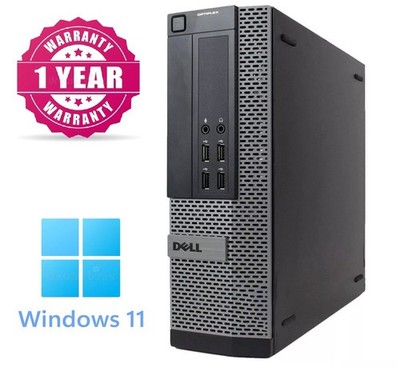
Meanwhile, over on UK ebay this used dell system unit configured with a quad core i7, 32GB RAM and a 1TB SSD will cost you 330 GBP, so it's roughly half the price of that beelink EQi12 at 585, and the beelink only had 24GB RAM. That's just the first one I looked at, there are lots of them up on ebay. These boxes are mostly corporate disposals. Of course the downside is you're getting an older generation cpu. But it depends what you want it for, as always.

 
Good point, all those corporate desktop boxes tend to have proprietary PSU's. I usually get lenovo rather than dell, I've never had a psu fail on a used lenovo box I've bought.
Like this M700 with an i7, 32GB RAM and a 500GB SSD for 140 pounds. That dell was just the first one I saw. Getting an older gen cpu might not cut it if you are doing a lot of work with things like VM's and emulators that needs special instructions only available in the latest processors. It all depends on what it's going to be used for. This thing is about 1/4 the price of the EQi12.


There are literally hundreds of these types of machines for sale on ebay.
 
I have three of them and for the most part they've been great. One is a Mini-SEi running Windows 11 for her. The others are I think called Mini-S, they're Celeron 5095 boxes. The only issue I've had was after updating the sound wouldn't work until I did a hard boot by unplugging the power brick from the unit. Powering off without removing the power supply did not do the trick. The other issue was entirely my fault as I think I killed one while running too much on a generator after a hurricane. I've not tinkered with it since but just shuffled the other one into service on the back of my tv. The Mini-S ones seemed inexpensive at the time, around $125 ea, the Mini-SEi was more.
 
One thing to remember if buying an older machine is that something like a 10-year old i7 won't have the performance (or bugs!) of the modern intel P-cores or AMD cpus. According to N100 performance reports, the E-core in the N100 has about the same performance as intel skylake cores, which came out around 2015. So if you buy a 10-year old corporate disposal lenovo system unit with an i5 or i7, you're going to get roughly similar performance to a modern N100, although without the 4K on-chip graphics or more advance encryption instructions that are in the N100, and it will use more power than the N100. And you won't have any AI accelerator in the box, if that is important (N100 won't have that either). On the other hand, you can still do a lot of work with the older machine, and you should get a much better price for the used hardware than for new kit, if you shop around.

 
One thing to remember if buying an older machine is that something like a 10-year old i7 won't have the performance (or bugs!) of the modern intel P-cores or AMD cpus. According to N100 performance reports, the E-core in the N100 has about the same performance as intel skylake cores, which came out around 2015. So if you buy a 10-year old corporate disposal lenovo system unit with an i5 or i7, you're going to get roughly similar performance to a modern N100, although without the 4K on-chip graphics or more advance encryption instructions that are in the N100, and it will use more power than the N100. And you won't have any AI accelerator in the box, if that is important (N100 won't have that either). On the other hand, you can still do a lot of work with the older machine, and you should get a much better price for the used hardware than for new kit, if you shop around.
Have many,many,many partitions. When im old & gray i must move.
 
Back
Top