Bad sectors after resizing live partition

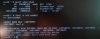
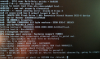
So I did this dangerous thing of resizing (shrinking) a mounted file system(actually the UFS mounted as /) in SSH and few seconds later I heard the booting beep from the machine. and I cannot SSH into it later. so I connected it to a monitor and found that it's in the single user mode displaying some error messages and fsck(8) doesn't seem to help and the confusing part is that the bad sectors don't fall within the ada0p2.


Need Help

boot into single user mode
IMG_20150607_070723.png


fsck was run from a usb live cd
liveusb.jpg
 
As far as I know, there is no way to shrink a UFS filesystem, mounted or not. The underlying partition size could be reduced, but that will not shrink the filesystem. Exactly what command did you use?

If the partition was shrunk, the easy way to fix it is to restore the partition to the previous size. In the meantime, do not run fsck(8), it can cause more damage.
 
As far as I know, there is no way to shrink a UFS filesystem, mounted or not. The underlying partition size could be reduced, but that will not shrink the filesystem. Exactly what command did you use?

If the partition was shrunk, the easy way to fix it is to restore the partition to the previous size. In the meantime, do not run fsck(8), it can cause more damage.

Actually I was following this page trying to grow the size of swap:
https://www.freebsd.org/doc/handbook/disks-growing.html
My swap was 3.5G resting in the last sectors on the disk so I deleted swap first and then resized freebsd-ufs by gpart resize -i 2 -a 4k -s 65G ada0 (It was 71G).
Then I heard the reboot sound.
 
Changing a partition size does not adjust the filesystem to fit. If you are very lucky, resizing that partition to be as big or bigger than it was previously will make the filesystem repairable. If you are really, really lucky, no data will be lost. Otherwise, you might have to restore from backup.
 
Changing a partition size does not adjust the filesystem to fit. If you are very lucky, resizing that partition to be as big or bigger than it was previously will make the filesystem repairable. If you are really, really lucky, no data will be lost. Otherwise, you might have to restore from backup.


Oh God, You saved the day. Now It can boot into multi-user mode again.

Obviously I didn't distinguish filesystem from partition, and thought filesystem would be handled automatically by gpart
 
Back
Top