

FreeBSD has been a major interest of mine for two years now. Before I installed it on my PC I read the handbook and lurked the forums for a couple of months.
My first install was rough. I couldn't get Wi-Fi working at the time, and ethernet wasn't an option. I swapped through three spare Wi-Fi dongles but none of them worked (in hindsight they did, but I didn't know how to set them up correctly). After giving up on that, I shelved FreeBSD for the time and focused on other things in my life. It wasn't until I got a working ethernet connection that I gave FreeBSD another go. This time I got the system up and running, and after a couple of days of fiddling it was tinkered to my liking. It quickly grew to be my favorite operating system.
This was before I moved out.
As of last month I live in a new apartment. My PC couldn't come with me, and I am stuck with this laptop. I had Void Linux installed on it, and while I appreciate it very much, I grew fond of my FreeBSD desktop and wished to have it on my laptop as well.
Getting the internet working was absurd. My laptop uses a Realtek Wi-Fi chipset. It requires firmware which I could (seemingly) install only WITH internet, which I didn't have... Ethernet isn't an option here either, and I couldn't use USB tethering because I don't have a cell phone plan.
After a couple of days of fruitless tinkering I was ready to give up. I decided to read through the handbook and online resources again, and I realized that... the firmware .pkg is just a file hosted on the freeBSD website... and I could download it on my girlfriend's laptop and transfer it over to mine... great...
As soon as time allowed, I did that; I was so hopeful that this would be it and I'd finally have my dream FreeBSD setup... but... It struck me when I mounted the USB drive containing firmware packages and copied them to my computer: PKG is not preinstalled with the system... and I need internet to install the package manager... *scream* this was a horrible hand Beastie had dealt me. I thought that was it, no BSD for me... EXCEPT... PKG IS ALSO A PKG...??? I can... Install pkg.pkg manually... "ludicrous" I thought to myself when I got PKG working that way... but it WORKED and... the Firmware INSTALLED... I was ecstatic... After I got it working I took an embarrassing two days to set up the internet. My DIY way wouldn't work so I conceded and consulted the forum again... and lo! In the end I got it working somehow. I couldn't describe to you the process anymore. something something wpa_supplicant etc. It doesn't even matter. I don't care. I got this thing working and I treasure it as my firstborn child. The labor I put into getting this thing to work is why I love it. This BSD is MY BSD...
Peace!
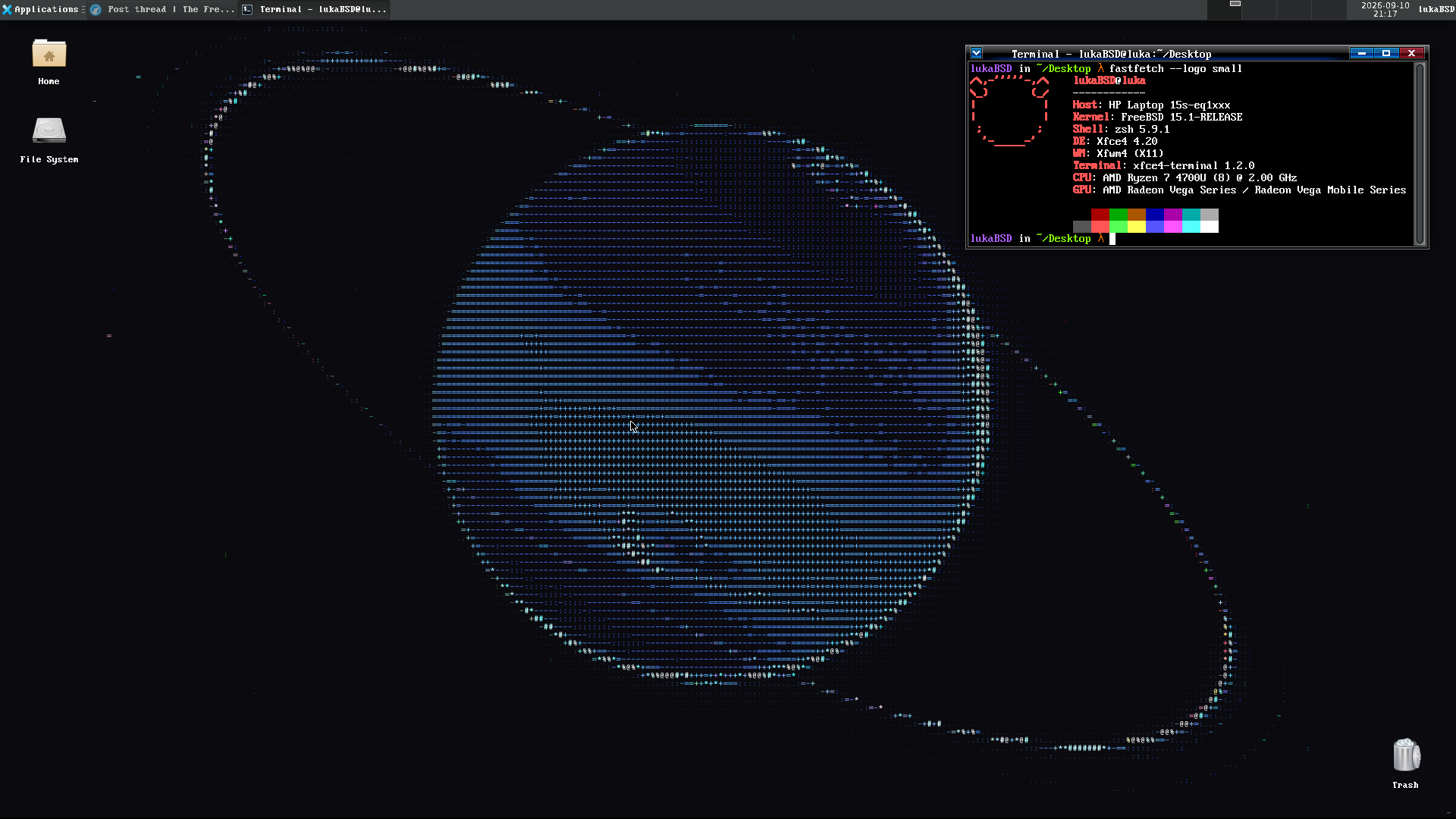
Pictured: my beloved darling
My first install was rough. I couldn't get Wi-Fi working at the time, and ethernet wasn't an option. I swapped through three spare Wi-Fi dongles but none of them worked (in hindsight they did, but I didn't know how to set them up correctly). After giving up on that, I shelved FreeBSD for the time and focused on other things in my life. It wasn't until I got a working ethernet connection that I gave FreeBSD another go. This time I got the system up and running, and after a couple of days of fiddling it was tinkered to my liking. It quickly grew to be my favorite operating system.
This was before I moved out.
As of last month I live in a new apartment. My PC couldn't come with me, and I am stuck with this laptop. I had Void Linux installed on it, and while I appreciate it very much, I grew fond of my FreeBSD desktop and wished to have it on my laptop as well.
Getting the internet working was absurd. My laptop uses a Realtek Wi-Fi chipset. It requires firmware which I could (seemingly) install only WITH internet, which I didn't have... Ethernet isn't an option here either, and I couldn't use USB tethering because I don't have a cell phone plan.
After a couple of days of fruitless tinkering I was ready to give up. I decided to read through the handbook and online resources again, and I realized that... the firmware .pkg is just a file hosted on the freeBSD website... and I could download it on my girlfriend's laptop and transfer it over to mine... great...
As soon as time allowed, I did that; I was so hopeful that this would be it and I'd finally have my dream FreeBSD setup... but... It struck me when I mounted the USB drive containing firmware packages and copied them to my computer: PKG is not preinstalled with the system... and I need internet to install the package manager... *scream* this was a horrible hand Beastie had dealt me. I thought that was it, no BSD for me... EXCEPT... PKG IS ALSO A PKG...??? I can... Install pkg.pkg manually... "ludicrous" I thought to myself when I got PKG working that way... but it WORKED and... the Firmware INSTALLED... I was ecstatic... After I got it working I took an embarrassing two days to set up the internet. My DIY way wouldn't work so I conceded and consulted the forum again... and lo! In the end I got it working somehow. I couldn't describe to you the process anymore. something something wpa_supplicant etc. It doesn't even matter. I don't care. I got this thing working and I treasure it as my firstborn child. The labor I put into getting this thing to work is why I love it. This BSD is MY BSD...
Peace!
Pictured: my beloved darling


