1d562 [Solved] volman: an experimental FreeBSD volume manager - The FreeBSD Forums
The FreeBSD Forums  

Go Back   The FreeBSD Forums > Ports & Packages > Porting New Software

Porting New Software Having trouble or general questions about porting software to FreeBSD? Ask here.

Reply
 
Thread Tools Display Modes
  #1  
Old October 24th, 2011, 20:01
aragon aragon is offline
Giant Locked
 
Join Date: Nov 2008
Location: Cape Town, South Africa
Posts: 2,031
Thanks: 68
Thanked 253 Times in 203 Posts
Default volman: an experimental FreeBSD volume manager

Hi,

A while ago I wrote an elaborate shell script to provide HAL-style disk mounting in Openbox (still my favourite WM btw). Personally it's been really successful for my own use, and I get the impression others have liked it too. Well I've been tweaking it here and there, and it's now an even more elaborate shell script, but it's at the point where I think it can serve as a generic FreeBSD volume manager for more than just Openbox.

It still lacks a client for KDE/Gnome/XFCE type environments, but I decided to put up what I've written so far in the hope someone will write a client for the above. I haven't used those desktop environments for a while, and don't plan to anytime soon, so I figured it's best someone else called the shots on how such a client should work!

The CLI and Openbox clients are rewritten for the new client/server architecture, and they function in much the same way as before. And yes, I changed the name of it again! I felt the old name was too misleading as this technically is not an auto-mounting thingie. (unless someone writes a client to do just that)

It's in the PR database for now: ports/161977.

Hopefully this one will get committed!

In addition to the new architecture, NTFS3G aka read/write NTFS support is now done! Sudo is also no longer needed, and a configuration file with some options has been added. In total this supports UFS, EXT2, FAT32, and NTFS. Only USB based storage devices have been tested by me.

Last edited by aragon; October 24th, 2011 at 20:20.
Reply With Quote
The Following 9 Users Say Thank You to aragon For This Useful Post:
brigante (January 11th, 2012), G_Nerc (November 4th, 2011), martino (March 18th, 2012), sir_dog (January 7th, 2012), SNK (November 7th, 2011), swa (January 10th, 2012), wblock@ (October 24th, 2011), YZMSQ (October 25th, 2011), zeissoctopus (December 30th, 2011)
  #2  
Old October 24th, 2011, 20:01
aragon aragon is offline
Giant Locked
 
Join Date: Nov 2008
Location: Cape Town, South Africa
Posts: 2,031
Thanks: 68
Thanked 253 Times in 203 Posts
Default

[reserved for documentation]
Reply With Quote
  #3  
Old October 24th, 2011, 20:18
wblock@'s Avatar
wblock@ wblock@ is offline
Moderator
 
Join Date: Sep 2009
Location: Milky Way galaxy
Posts: 7,724
Thanks: 432
Thanked 1,761 Times in 1,458 Posts
Default

Please also post on the new freebsd-desktop mailing list. Thanks!
Reply With Quote
  #4  
Old November 4th, 2011, 19:24
G_Nerc G_Nerc is offline
Junior Member
 
Join Date: Oct 2011
Posts: 99
Thanks: 26
Thanked 6 Times in 5 Posts
Default

Aragon, thanks a lot for your script!
But i can't understand how it setup to work properly.
I do:
extract ports/161977 in /usr/ports/sysutils
# cd /usr/ports/sysutils/volman && make install clean
After install i'm add to rc.conf
Code:
volmand_enable="YES"
and
# cp /usr/local/etc/volman.conf.example /usr/local/etc/volman.conf
and edit it:
Code:
# What device names amountd must look for.
DEVMATCH="^(da|mmcsd)"

# What label names amountd must look for.
LABELMATCH="^(msdosfs|ntfs|ufs)/"

# Base directory into which volumes will be mounted.
MNTPREFIX=/media

# If YES, subdirectories below MNTPREFIX will always match the device name.
# Otherwise the volume's label will be used if it exists.
DEVMPOINT=NO

# Where amount keeps all its working data and FIFOs.
WRKDIR=/var/tmp/volman
after that i'm do
# /usr/local/etc/rc.d/volmand start
and insert flash disk
# tail /var/log/messages
Code:
Nov  5 00:11:13 OLD-BSD volmand: CREATE da1
Nov  5 00:11:13 OLD-BSD kernel: ugen0.5: <vendor 0x13fe> at usbus0
Nov  5 00:11:13 OLD-BSD kernel: umass1: <vendor 0x13fe USB DISK 2.0, class 0/0, rev 2.00/1.00, addr 5> on usbus0
Nov  5 00:11:13 OLD-BSD kernel: da1 at umass-sim1 bus 1 scbus7 target 0 lun 0
Nov  5 00:11:13 OLD-BSD kernel: da1: < USB DISK 2.0 PMAP> Removable Direct Access SCSI-0 device 
Nov  5 00:11:13 OLD-BSD kernel: da1: 1.000MB/s transfers
Nov  5 00:11:13 OLD-BSD kernel: da1: 3825MB (7834944 512 byte sectors: 255H 63S/T 487C)
Nov  5 00:11:14 OLD-BSD volmand: CREATE da1s1
but not in /media or anywhere else and in output of df not appears new device.
I have a
Code:
vfs.usermount=1
what i do wrong?
Maybe problem in that my flash disk uses FAT32 with locale CP1251, or it LABEL have cyrillic symbols in that codepage?

My OS is FreeBSD 9.0 RC1
Reply With Quote
  #5  
Old November 4th, 2011, 19:47
aragon aragon is offline
Giant Locked
 
Join Date: Nov 2008
Location: Cape Town, South Africa
Posts: 2,031
Thanks: 68
Thanked 253 Times in 203 Posts
Default

Quote:
Originally Posted by G_Nerc View Post
I have a
Code:
vfs.usermount=1
Usermount not needed.


Quote:
Originally Posted by G_Nerc View Post
what i do wrong?
Type vmount. It should show you a list of devices that have been detected, and their mount status. Once you see the one you want to mount:

$ vmount da1s1

And the same when you want to umount it.


Quote:
Originally Posted by G_Nerc View Post
Maybe problem in that my flash disk uses FAT32 with locale CP1251, or it LABEL have cyrillic symbols in that codepage?

My OS is FreeBSD 9.0 RC1
See what happens, and let us know.
Reply With Quote
  #6  
Old November 4th, 2011, 20:16
G_Nerc G_Nerc is offline
Junior Member
 
Join Date: Oct 2011
Posts: 99
Thanks: 26
Thanked 6 Times in 5 Posts
Default

Yes it works! Thanks a lot!
But i have some request
  1. Maybe add in conf file option with ability to automount devices?
  2. And add options like mount_script [script to execute when mounts new device] (for example with that script will be easy integrate volman with idesk & fluxbox. Insert flash and icons for it appears), similar with umount_script
  3. And option to set prefered codepage. Because my flash disk after $ vmount da1s1 shows files in russian like ???????.pdf (Without volman i use for mounting such command # mount_msdosfs -L ru_RU.UTF-8 -D CP866 /dev/da0s1 /mnt/flash)
Reply With Quote
  #7  
Old November 4th, 2011, 20:35
aragon aragon is offline
Giant Locked
 
Join Date: Nov 2008
Location: Cape Town, South Africa
Posts: 2,031
Thanks: 68
Thanked 253 Times in 203 Posts
Default

Quote:
Originally Posted by G_Nerc View Post
Yes it works! Thanks a lot!
Great! Welcome.

Quote:
Originally Posted by G_Nerc View Post
  1. Maybe add in conf file option with ability to automount devices?
  2. And add options like mount_script [script to execute when mounts new device] (for example with that script will be easy integrate volman with idesk & fluxbox. Insert flash and icons for it appears), similar with umount_script
For it to work that way would violate volman's design, and probably break things. The same can be achieved by writing a client daemon that does all that with the help of volman's API, which I'll hopefully get around to documenting soon.

Quote:
Originally Posted by G_Nerc View Post
And option to set prefered codepage. Because my flash disk after $ vmount da1s1 shows files in russian like ???????.pdf Without volman i use for mounting such command # mount_msdosfs -L ru_RU.UTF-8 -D CP866 /dev/da0s1 /mnt/flash
I'll try hoof that into the API in the next version, but the client implementation I'm not sure about. How would you want to specify the code page?
Reply With Quote
  #8  
Old November 4th, 2011, 20:58
G_Nerc G_Nerc is offline
Junior Member
 
Join Date: Oct 2011
Posts: 99
Thanks: 26
Thanked 6 Times in 5 Posts
Default

Quote:
Originally Posted by aragon View Post
I'll try hoof that into the API in the next version, but the client implementation I'm not sure about. How would you want to specify the code page?
I think it is need such options (as i see in volman script it will be one more option ${MNTOPTS_${3}} (-L ${LOCAL_CODEPAGE} -D ${FAT32_CODEPAGE} in my example with my FAT32 flash) for every mounted entry like ${MNTCMD_${3}})
Code:
LOCAL_CODEPAGE=ru_RU.UTF-8 (codepage for local system UTF-8 by default)
FAT32_CODEPAGE=CP866 (preferred codepage for mounted FAT32 disks)
NTFS_CODEPAGE=CP1251 (preferred codepage for mounted NTFS disks)
and etc for other supported FS
Maybe sorry for my piece of nonsense with option description )
Reply With Quote
  #9  
Old November 6th, 2011, 14:53
plamaiziere plamaiziere is offline
Member
 
Join Date: Jan 2009
Location: Rennes, France
Posts: 174
Thanks: 1
Thanked 39 Times in 29 Posts
Default

Quote:
Originally Posted by aragon View Post
Hi,

A while ago I wrote an elaborate shell script
Code:
XMNTCMD_msdosfs="mount_msdosfs -m 666 -M 777"
XMNTCMD_ext2fs="mount -t ext2fs"
XMNTCMD_ufs="mount -t ufs"
You should auto-mount external storages with nosuid at least.

I don't think it's safe to auto-mount without checking that the user is able to do this (may be via a group ?)

Regards
Reply With Quote
  #10  
Old November 10th, 2011, 03:37
aragon aragon is offline
Giant Locked
 
Join Date: Nov 2008
Location: Cape Town, South Africa
Posts: 2,031
Thanks: 68
Thanked 253 Times in 203 Posts
Default

Quote:
Originally Posted by plamaiziere View Post
You should auto-mount external storages with nosuid at least.
Added to my todo list.


Quote:
Originally Posted by plamaiziere View Post
I don't think it's safe to auto-mount without checking that the user is able to do this (may be via a group ?)
I need to nitpick and say that no auto mounting is taking place. It's all manual. The only difference is that it's abstracted away into a highly simplified command.

But I agree there might be room for loss of security. I don't know if I will implement authorization checks though. It's a simple fix to a simple problem and is a 3rd party port with an appropriate disclaimer that'll be installed by FreeBSD users with enough savvy to configure an X11 setup from scratch.
Reply With Quote
  #11  
Old November 11th, 2011, 20:48
bigtoque bigtoque is offline
Junior Member
 
Join Date: Jul 2010
Posts: 75
Thanks: 2
Thanked 4 Times in 1 Post
Default

The script seems to work quite well. Many thanks!

One thing I've noticed (in openbox at least) is that if the device is connected when the system boots, the openbox menu just shows "No devices". If you unplug the device and plug it back in, the device is shown in the menu.

There is nothing listed If you type vmount

I assume this is due to there not being an event for attaching a device because the device is already attached at boot.
Reply With Quote
  #12  
Old November 11th, 2011, 22:55
aragon aragon is offline
Giant Locked
 
Join Date: Nov 2008
Location: Cape Town, South Africa
Posts: 2,031
Thanks: 68
Thanked 253 Times in 203 Posts
Default

Quote:
Originally Posted by bigtoque View Post
I assume this is due to there not being an event for attaching a device because the device is already attached at boot.
Correct.

Volman doesn't consider what bus storage devices are attached to, so even hotplug SATA disks should get picked up by it. The only reason your fixed disks don't appear in its volume listing is because there's also no attachment event for them.
Reply With Quote
  #13  
Old December 30th, 2011, 14:58
SNK SNK is offline
Member
 
Join Date: May 2011
Location: The Netherlands
Posts: 130
Thanks: 6
Thanked 32 Times in 28 Posts
Default

Great, it seems that eadler@ picked it up. Hopefully it will committed soon.
Reply With Quote
The Following User Says Thank You to SNK For This Useful Post:
zeissoctopus (December 30th, 2011)
  #14  
Old January 7th, 2012, 20:38
SNK SNK is offline
Member
 
Join Date: May 2011
Location: The Netherlands
Posts: 130
Thanks: 6
Thanked 32 Times in 28 Posts
Default

Today sysutils/volman got committed to the ports collection!
Reply With Quote
The Following User Says Thank You to SNK For This Useful Post:
zeissoctopus (January 8th, 2012)
  #15  
Old January 8th, 2012, 08:57
zeissoctopus zeissoctopus is offline
Member
 
Join Date: Aug 2009
Location: Hong Kong
Posts: 113
Thanks: 150
Thanked 21 Times in 14 Posts
Default

Many thanks to aragon as well as all contributors.

Last edited by DutchDaemon; January 9th, 2012 at 02:46.
Reply With Quote
  #16  
Old February 17th, 2012, 11:58
unull unull is offline
Junior Member
 
Join Date: Feb 2012
Posts: 11
Thanks: 1
Thanked 2 Times in 2 Posts
Default

Thanks for this nice piece of software!

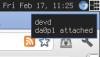
I wrote a small program that uses libnotify to show a notification on your desktop if you plug in a USB stick. Works perfectly with sysutils/volmand

If anyone is interested, grab the source from https://github.com/funglaub/devd-notifier
Attached Images
File Type: png oie_171156332YEDVCCh.png (5.4 KB, 109 views)

Last edited by DutchDaemon; February 18th, 2012 at 03:24.
Reply With Quote
The Following User Says Thank You to unull For This Useful Post:
zeissoctopus (February 25th, 2012)
  #17  
Old February 24th, 2012, 10:21
femc7488 femc7488 is offline
Junior Member
 
Join Date: Apr 2009
Posts: 16
Thanks: 0
Thanked 1 Time in 1 Post
Default

Thanks, volman is useful. I love it.

Last edited by DutchDaemon; February 24th, 2012 at 17:14.
Reply With Quote
Reply

Thread Tools
Display Modes

Posting Rules
You may not post new threads
You may not post replies
You may not post attachments
You may not edit your posts

BB code is On
Smilies are On
[IMG] code is On
HTML code is Off

Forum Jump

Similar Threads
Thread Thread Starter Forum Replies Last Post
File Manager in twm window manager JordanTBoehm X.Org 8 July 9th, 2011 13:14
FreeBSD distribute update manager koma Installing & Upgrading 5 January 18th, 2011 10:16
[Solved] How to remove boot manager in freebsd 8.0 ? riku Installing & Upgrading 5 April 14th, 2010 04:28
[Solved] File Manager for FreeBSD eyebone Installation and Maintenance of FreeBSD Ports or Packages 8 December 13th, 2009 12:36
sysutils/gnome-volume-manager z0ran Installation and Maintenance of FreeBSD Ports or Packages 4 April 11th, 2009 21:01


All times are GMT +1. The time now is 06:58.


Powered by vBulletin® Version 3.8.7
Copyright ©2000 - 2013, vBulletin Solutions, Inc.
The mark FreeBSD is a registered trademark of The FreeBSD Foundation and is used by The FreeBSD Project with the permission of The FreeBSD Foundation.
Web protection and acceleration provided by CloudFlare
0